
Google has officially released the native NotebookLM app for Android and iOS, bringing a more polished experience to mobile users just ahead of its I/O 2025 developer conference. The app provides a refined interface, enhanced multimedia features, and direct integration with system-level tools for improved productivity and usability.
Redesigned Interface and Navigation

The NotebookLM app opens to a clean homepage featuring a list of notebooks, each displayed as colorful cards. Users can filter content by Recent, Shared, Title, or Downloaded. The app follows the system’s light or dark theme, with no manual override option. Each notebook card includes the name, emoji icon, number of sources, and last modified date, alongside a play button to initiate Audio Overviews.
Enhanced Audio and Offline Features
The Audio Overview function allows users to listen to AI-generated summaries of notebook content in a podcast-style format. Google has enabled background playback and offline support for these overviews, with a glowing visual element in the full-screen player. Users can also engage with the AI hosts—currently in beta—to ask follow-up questions, providing a more interactive audio experience.
Improved Source Management and Sharing
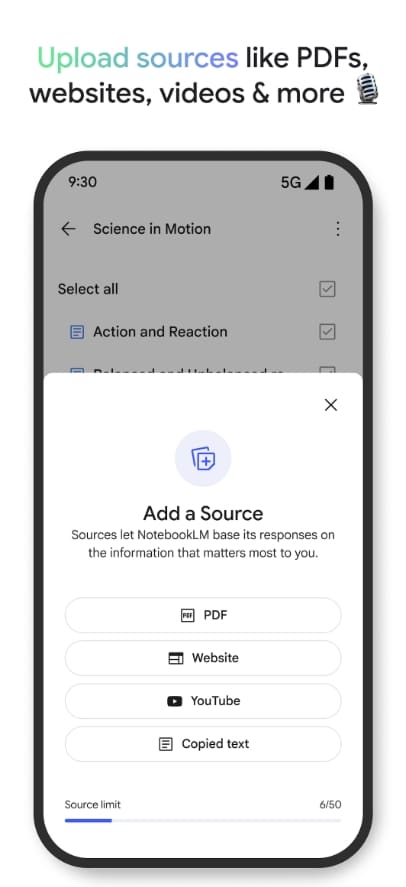
Adding new content is streamlined with a “Create new” button at the bottom of the homepage. Users can import content from PDFs, websites, YouTube videos, or directly input text. The app integrates into the Android and iOS share sheets, allowing for quick addition of sources from other apps.
Simplified Notebook Workflow
Inside each notebook, users will find a three-tab layout: Sources, Chat Q&A, and Studio. This mirrors the structure of the current web version but offers better responsiveness and performance through the native app. The app supports both smartphone and tablet layouts, though it lacks deep integration with Google’s Material 3 design system.
Availability and Download
The NotebookLM app is now available globally on both platforms. Android users can download it from the Google Play Store, while iPhone and iPad users can access it via the App Store. The launch fulfills a long-standing request from users seeking a standalone mobile experience beyond the Progressive Web App.
Stay Connected with ProPakistani
Get the latest tech news, telecom insights, and product launches wherever you prefer.
Add ProPakistani to Preferred Sources and see more of our stories in Google Search and Top Stories.












