
Apple has announced a new set of Apple Intelligence features for iOS 27, iPadOS 27, macOS 27, watchOS 27, and visionOS 27.
The company made the announcements at its Worldwide Developers Conference, where Siri AI was the main update. However, Apple also detailed several AI tools coming to Photos, Safari, Passwords, Messages, Mail, Phone, Shortcuts, Home, and Accessibility features.
The new features are available for developer testing now. Apple said a public beta will be released next month, while users will get access this fall on supported devices and languages.
Photos
The Photos app is getting stronger AI editing tools. Apple said Photos now uses more powerful image models to support edits while keeping the original moment intact. Photos edited with Apple Intelligence will also include a hidden SynthID watermark to show that AI was used.
A new Spatial Reframing tool lets users change the composition of a photo after taking it. Users can touch and drag a photo and preview the perspective shift in real time, as if the camera had been repositioned in the original scene.
Apple said Spatial Reframing only generates new content where the perspective has shifted, helping the image stay consistent with the original scene.
The Photos app also adds an Extend tool. Users can expand an image, straighten a crooked horizon, or adjust the aspect ratio without cropping out important parts.
Apple has also upgraded the Clean Up tool. The company said it can now remove distractions with better quality and more realistic infill, including in complex scenes.
Safari
Safari is getting several Apple Intelligence features. The browser can automatically organize open tabs into relevant topics. As users browse, Safari can place new tabs into existing topics or create new ones when needed.
Safari is also adding Notify Me. The feature lets users ask Safari to monitor a web page for changes, such as restocks or price drops. When Safari detects a relevant change, it sends a notification.
Another new Safari tool is Describe an Extension. Users can describe the type of extension they want, and Safari can generate a custom extension directly in the toolbar.
Passwords
The Passwords app can now help fix weak or compromised passwords.
Apple said Passwords can automatically update eligible accounts with one tap. The feature uses Apple Intelligence and Safari to sign in to supported websites and change passwords to stronger ones, which are then saved for the user.
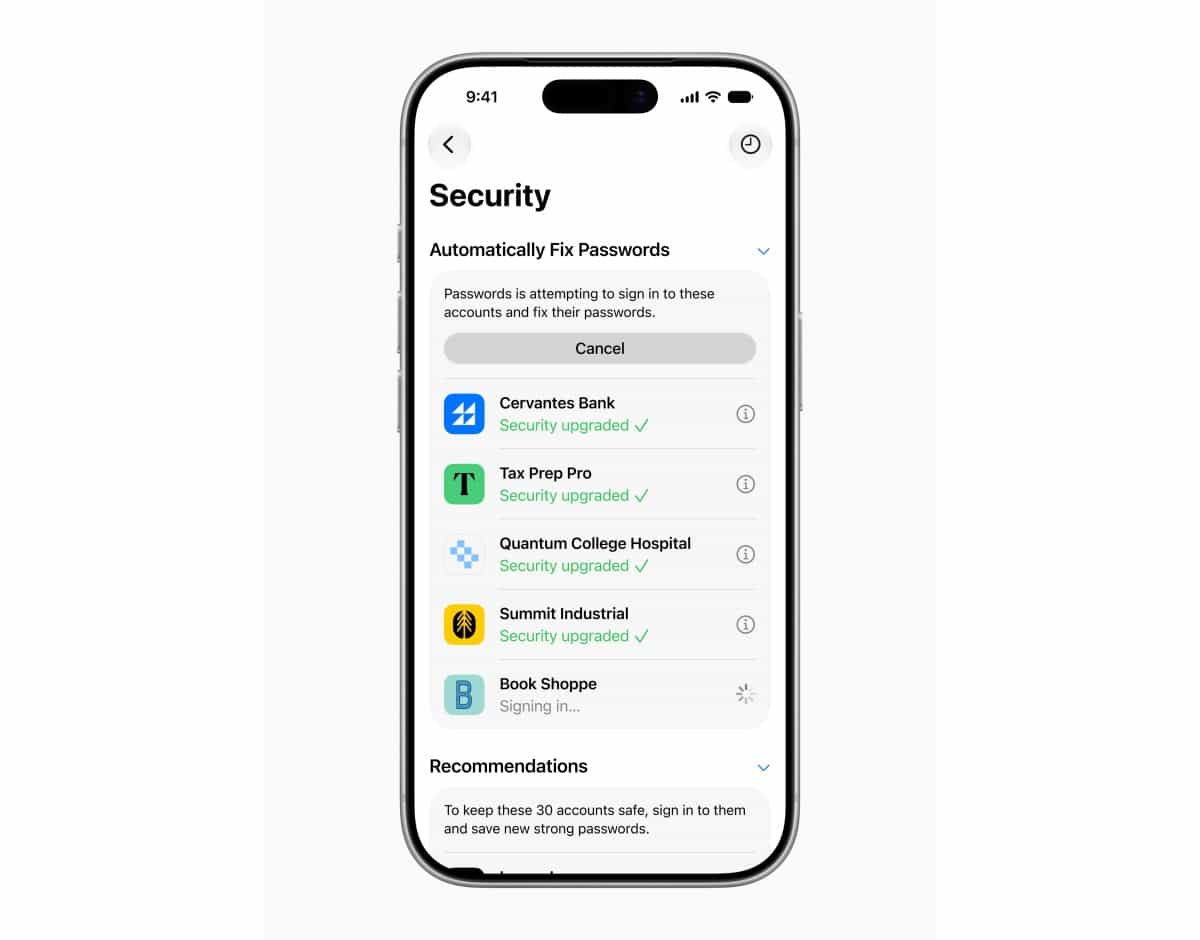
Image Playground
Apple is also upgrading Image Playground. The app can now create high-quality images in several styles, including photorealistic images, using a new generative model that runs on Apple’s Private Cloud Compute.
Apple said generated images will include a hidden SynthID watermark to identify them as AI-generated.
Image Playground also allows users to edit images through prompts or by tapping, circling, or brushing an object to move or resize it.
The tool can also generate Lock Screen wallpapers and Contact Posters. Users can choose the aspect ratio before creating an image, making it easier to create images for different uses.
Messages and Mail
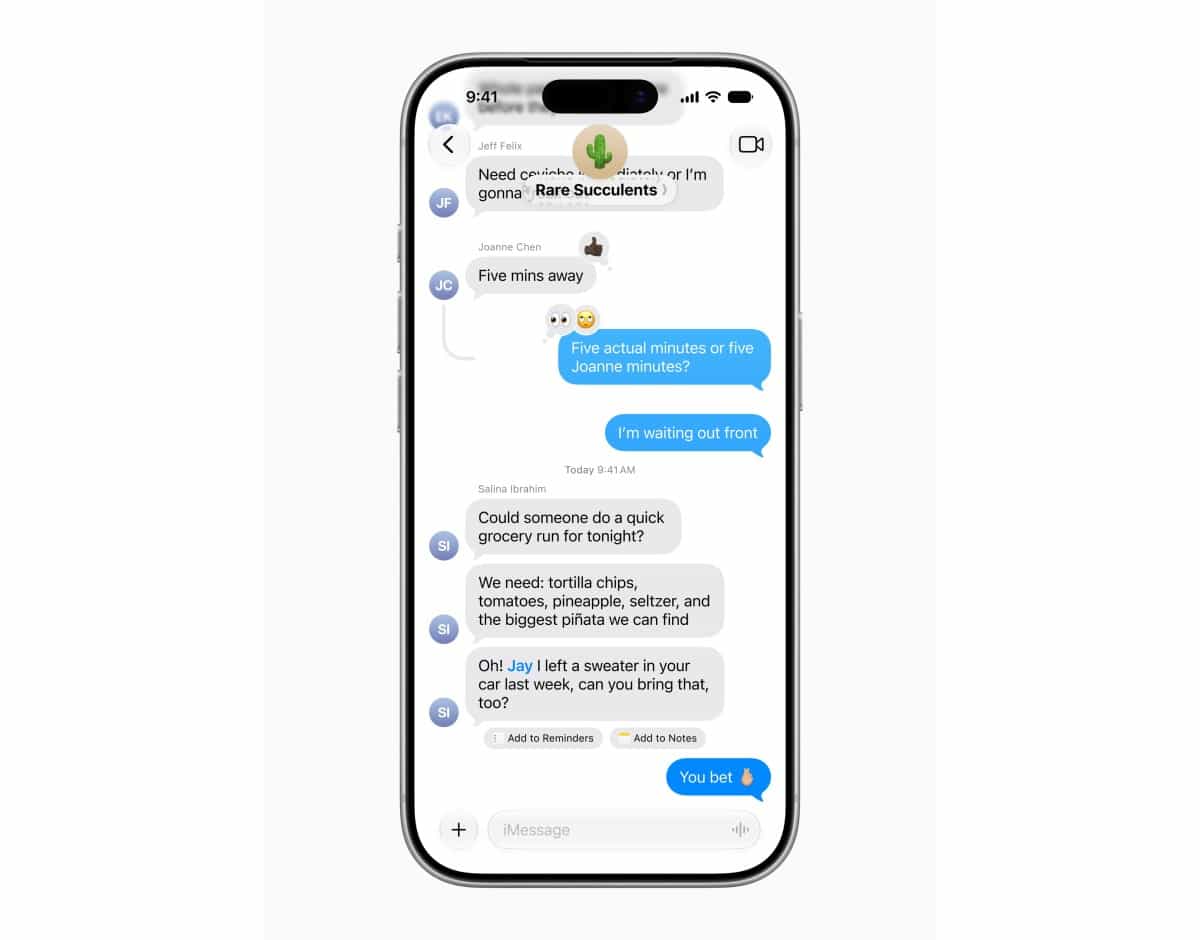
Messages is adding one-tap suggestions based on conversation context.
For example, the app can suggest creating a reminder or note from a conversation. If someone asks for photos, Messages can help find relevant images by recognizing keywords, locations, and people in the user’s library.
Mail suggestions are also becoming more capable, with support for actions in third-party apps.
Smart Reply in Mail and Messages can now use a user’s personalized writing style.
Phone and Calendar
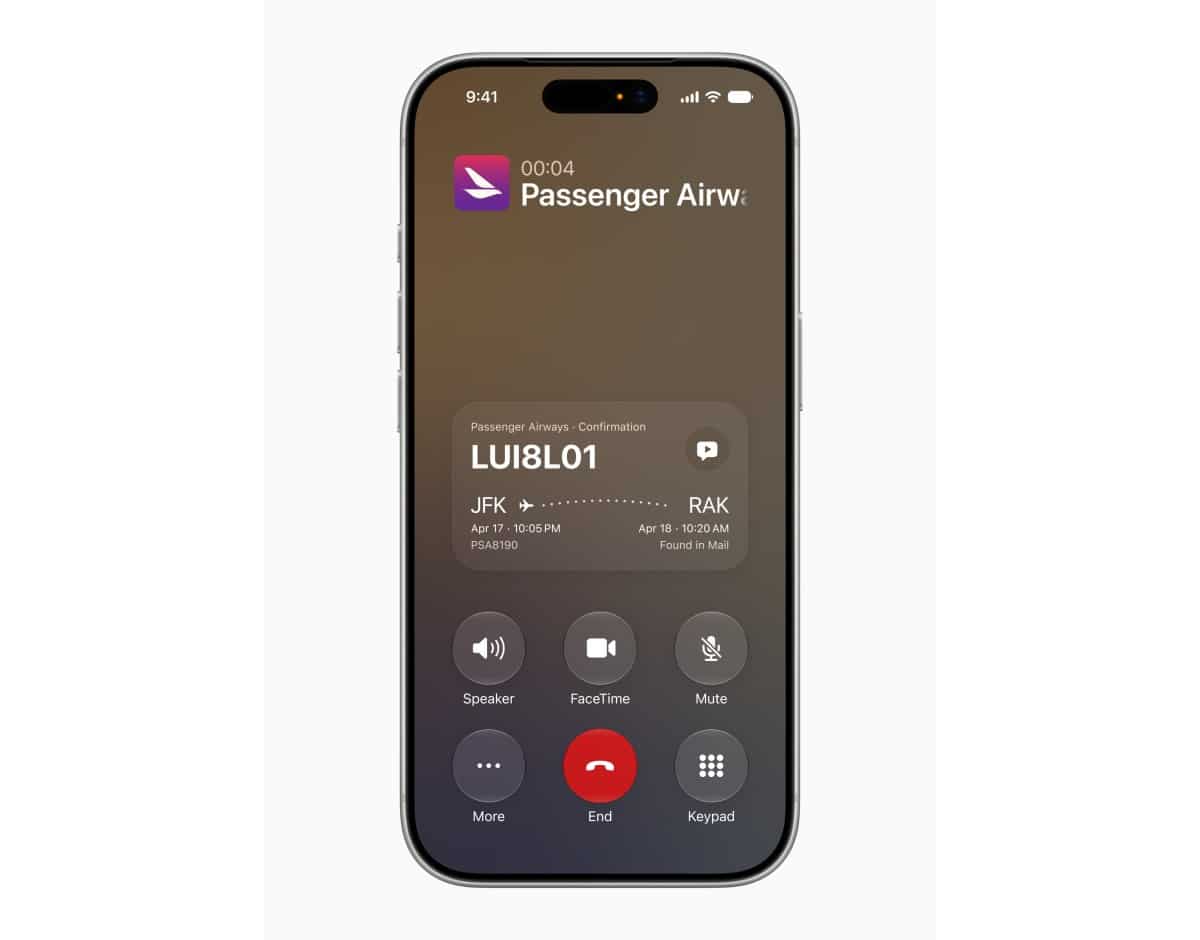
Apple is adding a Call Context feature to the Phone app. When a user calls a business, Call Context can show relevant information, such as a confirmation code or reservation number, directly in the Phone app.
Apple said the feature works based on who the user is calling, not what the user is saying. The company also said it runs entirely on the device, so the information is not shared with Apple or anyone else.
Apple Intelligence can also help users add or modify Calendar events by describing the event. As the user types, Calendar can identify contacts and locations and create an event title.
Shortcuts
Shortcuts is getting a new Describe a Shortcut feature.
Users can describe what they want the shortcut to do, and the app will assemble the required steps. If the user wants to change or add something, they can describe the change, and Shortcuts will adjust it.
Home
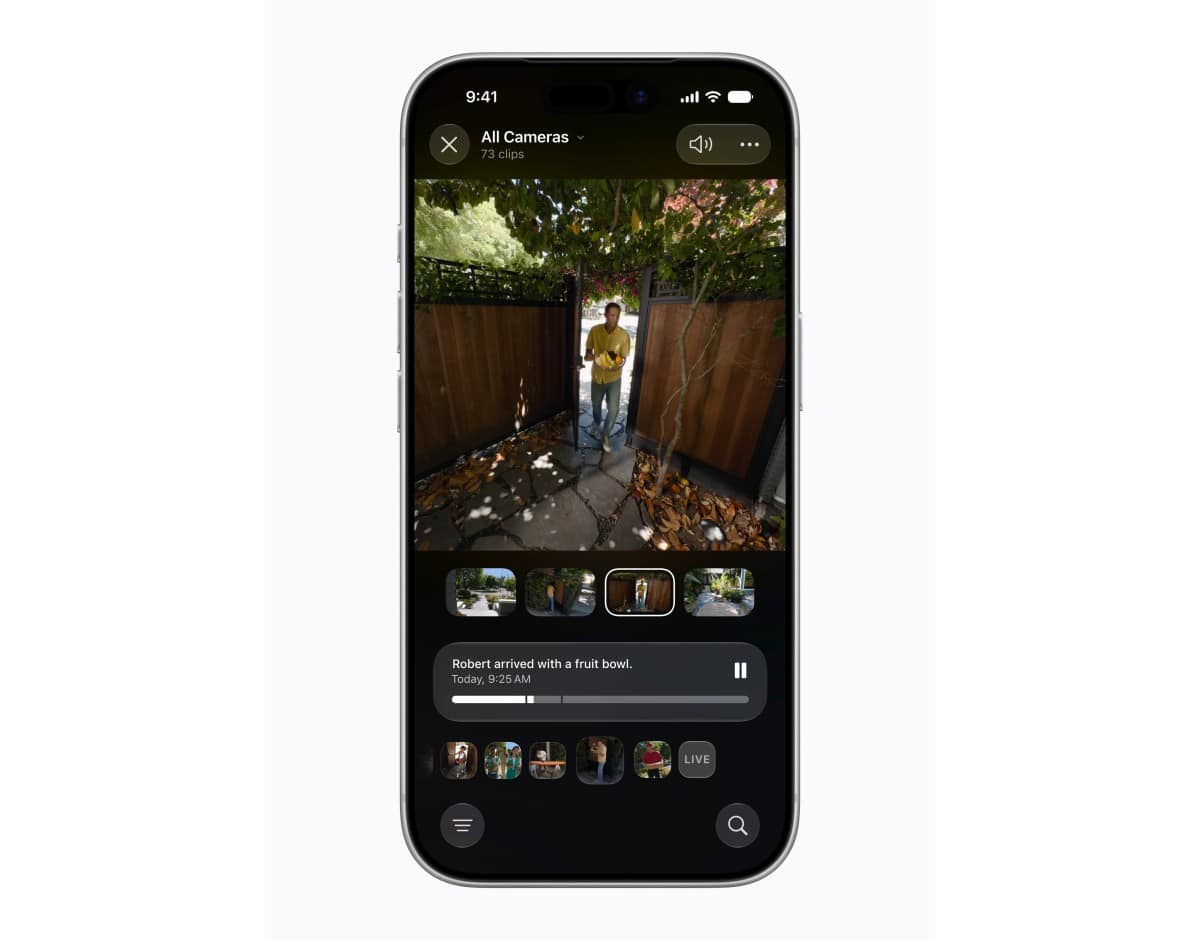
The Home app is getting Apple Intelligence features for smart home notifications and HomeKit Secure Video cameras.
The app can combine related accessory notifications into a single activity, so users receive fewer separate alerts.
It can also generate video descriptions, allowing users to understand what happened across a sequence of video clips without watching them.
Users can search camera clips for specific events, such as a package delivery. The Search page will also show noteworthy clips that users may want to review.
Accessibility
Apple Intelligence is also being added to accessibility tools.
VoiceOver will provide richer image descriptions for users who are blind or have low vision. Live Recognition will allow users to press the Action button on their iPhone and ask questions about their surroundings.
Voice Control is also becoming more flexible. Users can describe on-screen buttons and controls instead of memorizing exact labels or numbers.
Accessibility Reader will support more complex source material and offer on-demand summaries and translation.
Other Features
Apple Intelligence will also support automatic proofreading with improved spelling and grammar suggestions across the system.
Users will also get intelligent file and folder name suggestions based on content.
Apple said Genmoji quality is improving, and users can describe the changes they want to make to a Genmoji.
Workout Buddy is getting Spanish support and can be used on an Apple Watch even when an iPhone is not nearby. Apple said it will also use more fitness data when delivering workout insights.
Privacy and Availability
Apple said the new Apple Intelligence system uses a new architecture built with Google and its Gemini models. The models run on devices and on servers through Private Cloud Compute.
The company said Private Cloud Compute does not store user data or make it accessible to Apple or anyone else.
Apple Intelligence will be available on iPhone 16 models and later, iPhone 15 Pro, iPhone 15 Pro Max, iPad mini with A17 Pro, iPad models with M1 or later, MacBook Neo with A18 Pro, Macs with M1 or later, Apple Vision Pro, Apple Watch Series 9 or later, Apple Watch Ultra 2 or later, and Apple Watch SE 3 when paired with an Apple Intelligence enabled iPhone nearby.
Supported languages include English, Danish, Dutch, French, German, Italian, Norwegian, Portuguese, Spanish, Swedish, Turkish, Vietnamese, Chinese simplified, Chinese traditional, Japanese, and Korean.
Some features may not be available in all regions or languages. Apple also said some features, including image generation, will have daily usage limits because they rely on server models. Most iCloud+ subscription plans will offer increased access and will also include Apple Intelligence support for compatible Home cameras.
Stay Connected with ProPakistani
Get the latest tech news, telecom insights, and product launches wherever you prefer.
Add ProPakistani to Preferred Sources and see more of our stories in Google Search and Top Stories.












