Microsoft has confirmed that Windows 11 version 26H2 will be its next annual feature update, with the rollout expected during the second half of 2026.
According to Windows Central, the update will arrive as a small enablement package rather than requiring a complete operating system installation. It will use the same servicing model as version 25H2, switching supported systems from version 25H2 to 26H2.
However, the small installation package does not mean the update will lack new features.
Microsoft now introduces Windows 11 features through monthly cumulative updates instead of holding them for one major annual release. Features released throughout the lifecycle of version 25H2 will officially become part of version 26H2 when the annual update arrives.
Users already running version 25H2 may receive many of these improvements before installing 26H2. For them, the enablement package will mainly activate the new version and extend support for another two years.
Users upgrading from an older version will receive the accumulated improvements together, making the update feel considerably larger.
The features are currently being tested through the Experimental channel of the Windows Insider Program. Microsoft may change or remove them before the public release.
The company also uses gradual rollouts, meaning some features may not immediately reach every compatible computer after version 26H2 launches.
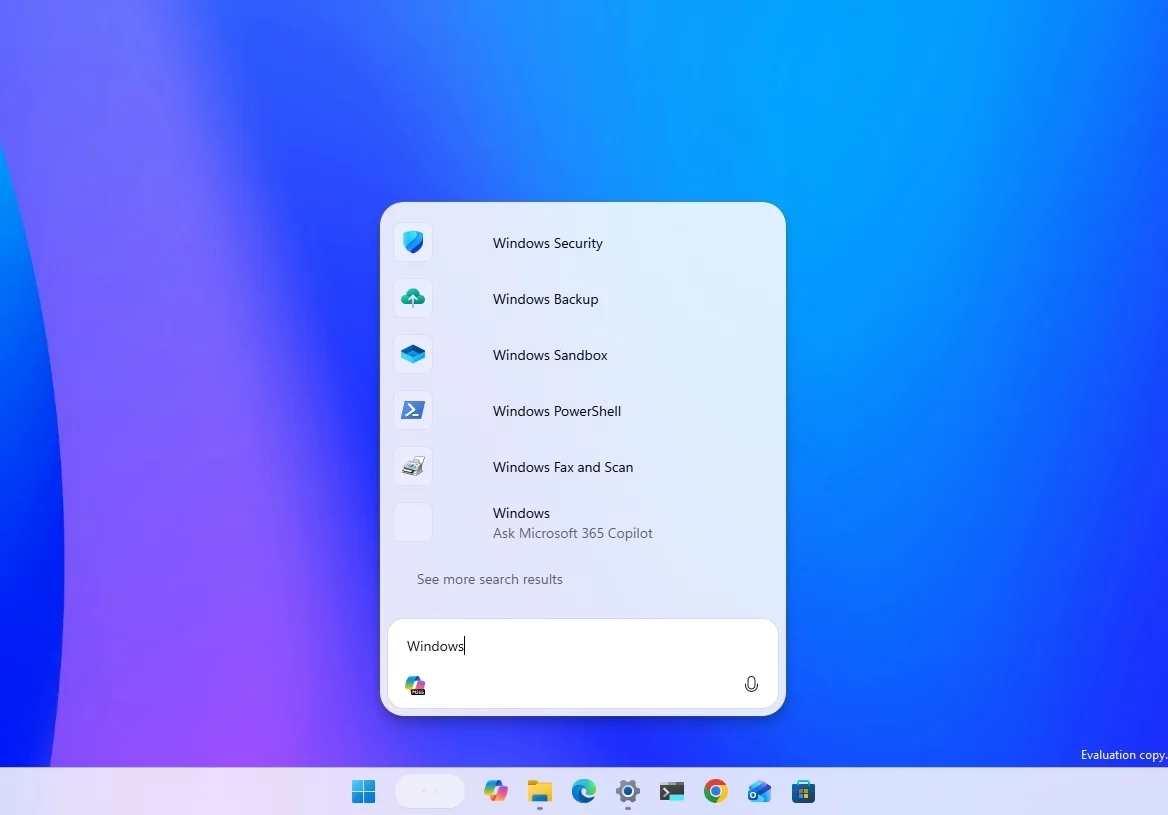
Microsoft is testing a new Ask Copilot search box that brings its AI assistant directly into the Windows search experience.
The feature will allow users to ask AI questions while also searching for files, applications and system settings.
Unlike some of Microsoft’s previous AI integrations, Ask Copilot will be optional. Users will not have to replace the traditional Windows Search experience.
Windows Central found the feature useful for quickly finding settings and files, particularly because users can choose when to enable it.
The option is expected to appear under Settings > Personalization > Taskbar.
Microsoft plans to make Ask Copilot available on both Copilot+ PCs and regular Windows computers.
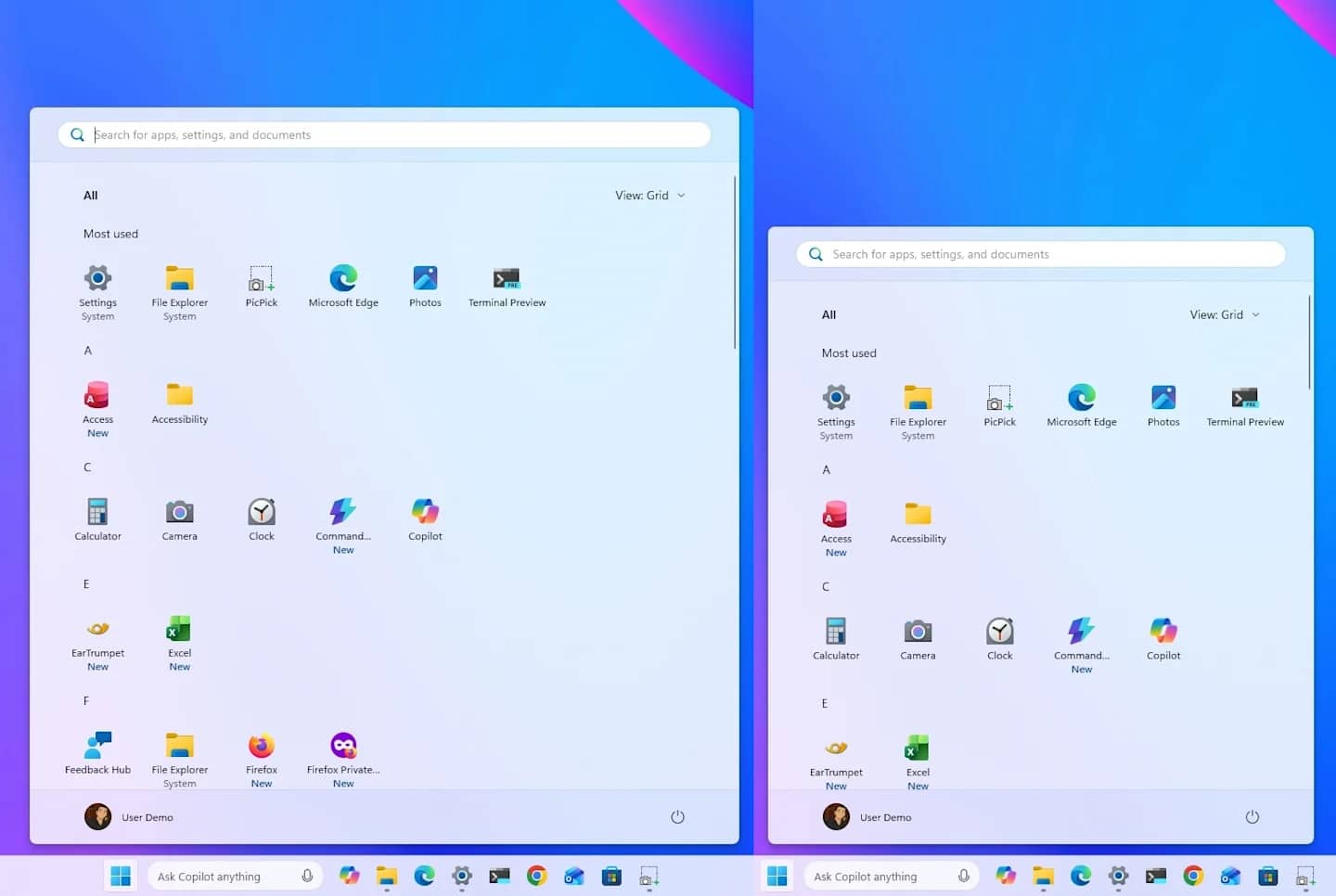
Windows 11 version 26H2 could restore several Taskbar customization options that users have requested for years.
Microsoft is testing the ability to move the Taskbar to different positions on the desktop. Users may also be able to reduce its size.
The controls are expected under Settings > Personalization > Taskbar > Taskbar behaviors.
These changes would give users more control over one of the most frequently used parts of the Windows desktop.
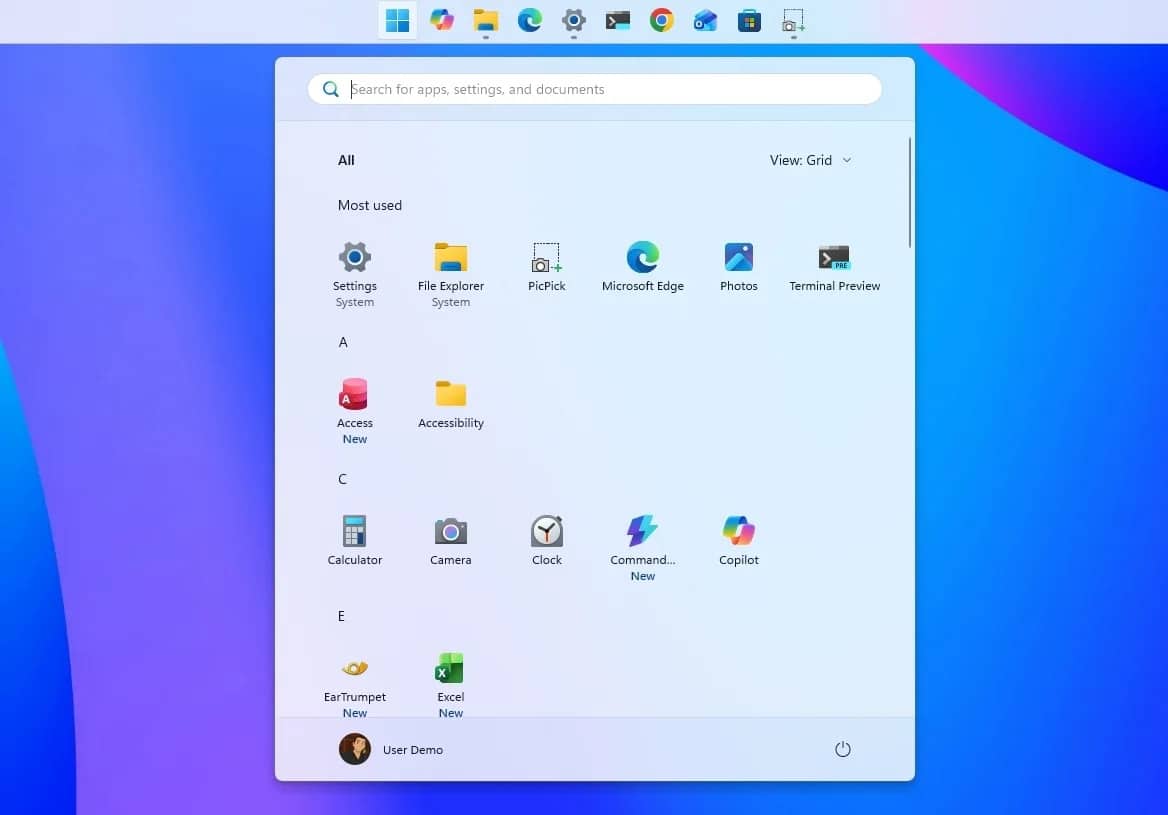
Microsoft is also working on a redesigned Start menu with more layout and privacy options.
Users will be able to choose between smaller and larger menu sizes instead of allowing Windows to determine the size automatically based on display resolution and scaling.
The updated design will also provide more control over the Pinned, Recent and All sections. Users will be able to show or hide each section independently.
Microsoft has renamed the Recommended section to Recent and made it easier to disable. Users will also be able to control the types of content shown in this area.
Disabling recent and suggested files in the Start menu will no longer turn off File Explorer’s recent file history.
Microsoft is also testing an option that hides the user’s name and profile picture from the Start menu. This could improve privacy during presentations or screen sharing.
The new controls are expected under Settings > Personalization > Start.
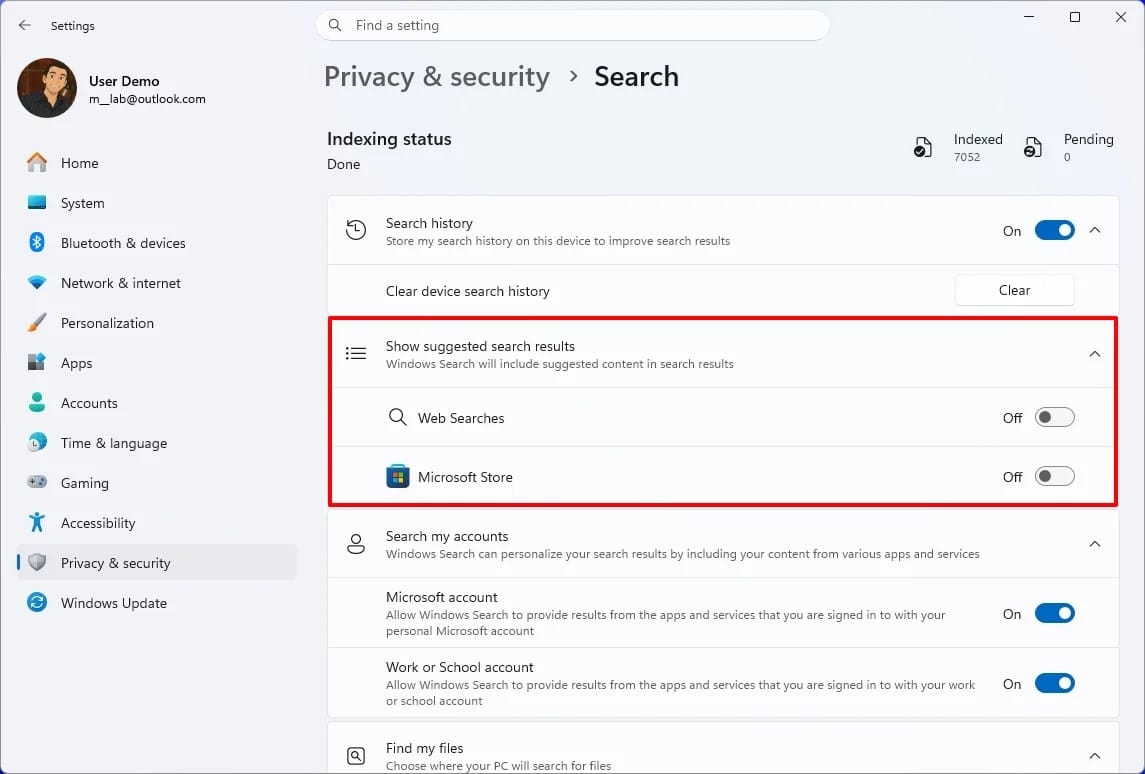
Microsoft may finally allow users to disable web results in Windows Search.
The change would let people search only for local files, applications and settings without receiving Bing results.
An additional option may also prevent Microsoft Store applications from appearing in search results.
These controls are expected under Settings > Privacy & security > Search through a setting called “Show suggested search results.”
The feature remains under development but can already be enabled in preview versions of Windows 11 version 26H2 available through the Experimental channel.
Microsoft is expanding the controls available through Windows Update.
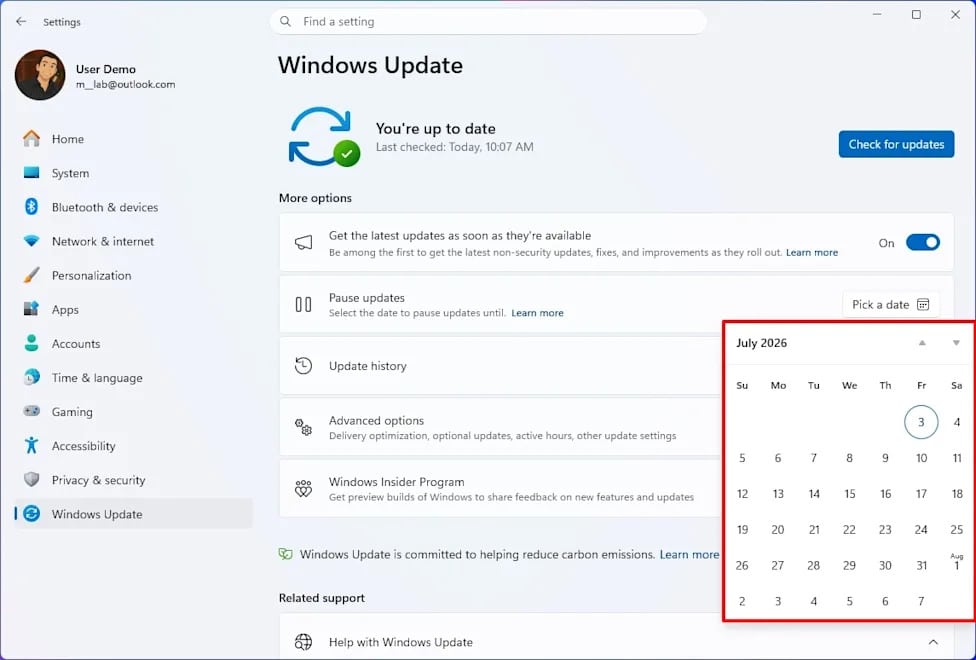
A new calendar-based option will allow users to pause updates for up to 35 days. According to Windows Central, users will be able to pause updates repeatedly when needed.
The feature will be available under Settings > Windows Update.
Microsoft is also working to reduce the number of monthly restarts by aligning driver, firmware, product and quality updates. The company aims to require only one restart for these updates each month.
The Windows Update page will group downloads under a single “Available updates” section, while driver updates will receive clearer labels.
Microsoft is also separating the power options used when updates are pending. Users will be able to restart or shut down their computers without automatically installing available updates.
The calendar-based pause option is gradually rolling out through the July 2026 security update, but Microsoft will also consider it part of version 26H2.
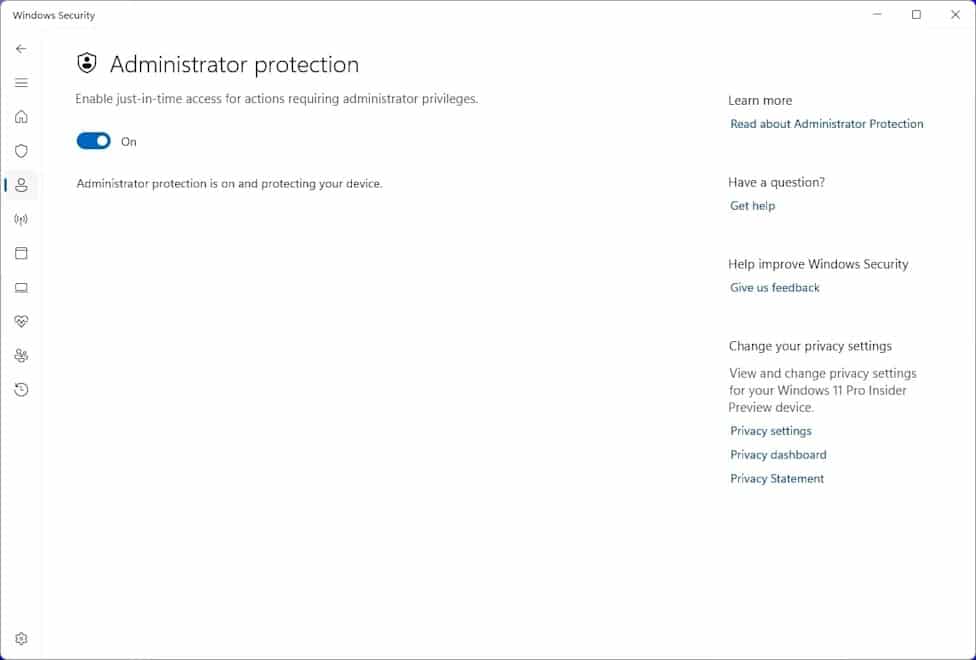
Windows 11 version 26H2 is expected to introduce a new security feature called Administrator Protection.
The feature changes how Windows handles administrator privileges by providing temporary elevated access instead of keeping those permissions active.
When an administrator-level task needs to run, Windows creates a temporary account to complete it. The operating system then deletes that account when the task finishes.
This approach is designed to make it more difficult for malicious software to gain permanent administrator access.
Administrator Protection is expected to appear under the Account Protection section of the Windows Security application.
The feature will replace User Account Control and use Windows Hello to authenticate administrator actions.
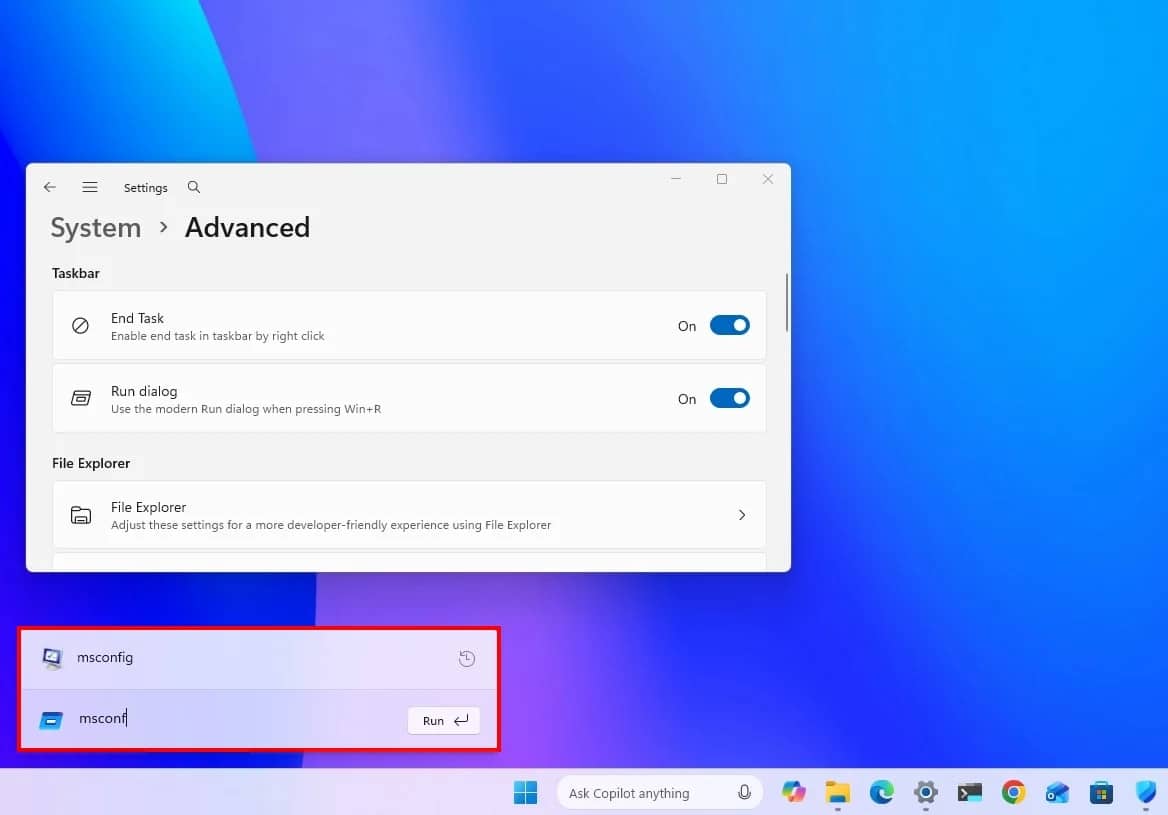
Microsoft is also redesigning the Run dialog to match the Windows 11 interface.
The new version features rounded corners, improved spacing and a larger overall design.
It includes a wider field for entering commands and a recent commands section above the text box, making it easier to reuse previous entries.
The redesigned Run dialog can also display matching applications and their icons as users type.
Microsoft will initially make the new design optional. Users will be able to switch between the classic and modern versions under Settings > System > Advanced > Run dialog.
Windows 11 version 26H2 will not introduce another complete redesign of the operating system.
Instead, it will combine features released through months of cumulative updates into a newly supported version of Windows 11.
The update could include a redesigned Start menu, additional Taskbar options, cleaner search results, stronger security, improved update controls, and a more practical Copilot experience.
Windows Central said the approach shows that Microsoft has moved toward delivering features whenever they are ready rather than saving them for a large annual release.
The feature update will instead reset the support lifecycle while activating changes that may already exist on systems running version 25H2.
Some features may still change or disappear before the final rollout. However, if Microsoft releases the improvements currently being tested, version 26H2 could become one of the most practical Windows 11 updates despite arriving through a small enablement package.
Get the latest tech news, telecom insights, and product launches wherever you prefer.
Add ProPakistani to Preferred Sources and see more of our stories in Google Search and Top Stories.