

 Ajmeel Khan
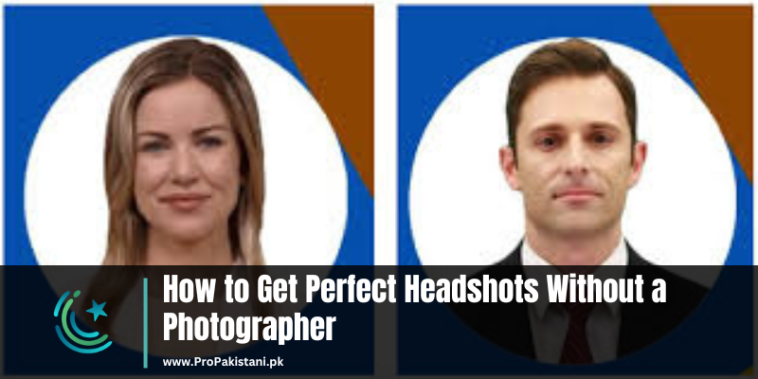
Getting the perfect headshot doesn’t always require a professional photographer. With the right tools and techniques, you can create a professional-looking headshot by yourself. Whether you need it for your LinkedIn profile, resume, or any other professional platform, you can achieve great results using AI-powered tools and apps. These tools are designed to help you enhance your photos, adjust details, and even create headshots from scratch, all while saving time and money.
Here’s a detailed guide to some of the best AI tools for creating perfect headshots on your own.
1. ProfilePicture.AI: Perfect for Professional-Looking Shots
ProfilePicture.AI offers a simple yet effective way to create high-quality headshots. It uses AI to automatically enhance your photos, making them look polished and professional.
- AI-Powered Editing: It adjusts facial features, lighting, and background to give you a perfect result.
- Multiple Style Options: Choose from different headshot styles depending on your needs—business, casual, or even creative.
- Quick Processing: The AI processes your photo in no time, saving you hours of editing.
2. Fotor: Easy and Comprehensive Editing Tool
Fotor is a versatile photo editing app that can help you create a professional-looking headshot effortlessly. It provides powerful features to enhance your photos.
- Background Removal: Easily remove or replace the background with just a few clicks.
- Retouching Tools: Smooth your skin, brighten your teeth, and adjust lighting to create a perfect headshot.
- Easy-to-Use Interface: The straightforward interface makes editing simple even for beginners.
3. PhotoRoom: Great for Creating Clean, Crisp Headshots
PhotoRoom is another excellent tool for creating headshots. It is known for its ability to remove backgrounds and create clean, professional images.
- Background Removal: Instantly removes cluttered or distracting backgrounds to focus on your face.
- Customization Options: Offers a variety of backgrounds and templates to make your headshot stand out.
- AI Enhancements: Automatically adjusts lighting and colors to make your photo look more professional.
4. HeadshotPro: Tailor-Made for Headshots
HeadshotPro is designed specifically for creating headshots, making it one of the best tools for this purpose.
- Customizable Features: Adjust brightness, contrast, and other settings to improve your photo.
- Professional Look: The tool ensures your headshot looks sharp, polished, and ready for professional use.
- Variety of Templates: Choose from multiple templates to find the one that best fits your style.
5. Befunky: Simple Yet Effective Headshot Creator
Befunky is a photo editor that offers numerous features to enhance your headshot and make it look more polished.
- Skin Smoothing: Smooth out your skin and remove blemishes to give your face a natural, flawless look.
- Lighting Adjustments: Brighten or darken your photo to create the perfect lighting.
- One-Click Enhancements: Use one-click tools to enhance your photo with minimal effort.
6. PortraitPro: Headshot Editing Made Easy
PortraitPro is a dedicated portrait editing software that can turn your photo into a professional-looking headshot with just a few clicks.
- Smart Editing: Automatically detects faces and adjusts facial features for a more flattering result.
- Advanced Retouching: Offers detailed options to adjust skin tone, remove wrinkles, and brighten your smile.
- Customizable Styles: Choose from a variety of styles to make your headshot look more formal or creative.
7. InPixio: Professional-Quality Headshots in Minutes
InPixio offers a robust set of tools to help you create flawless headshots with ease.
- Background Removal: Quickly remove unwanted backgrounds for a clean, focused shot.
- AI-Based Enhancements: Automatically enhances photo quality and adjusts lighting to make your headshot pop.
- User-Friendly Interface: The intuitive interface makes it easy for anyone to create professional headshots without any prior experience.
Conclusion
Creating the perfect headshot without the help of a photographer is no longer a challenge. With these AI-powered tools, you can easily enhance your photos, remove backgrounds, and adjust features to achieve a professional look. Whether you are preparing for a job interview, updating your social media profile, or enhancing your portfolio, these tools will help you get the job done.







