

 Ajmeel Khan
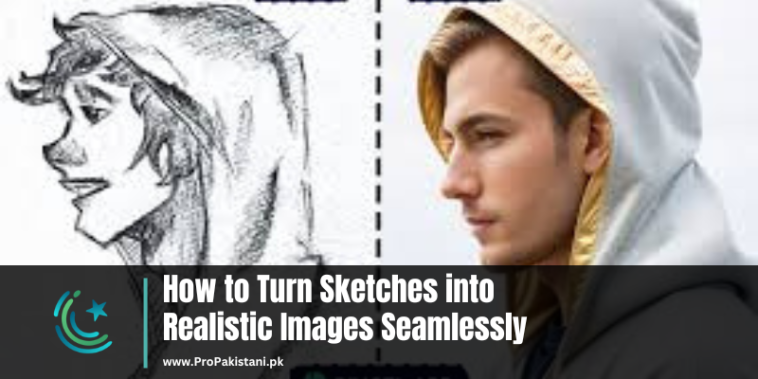
Turning simple sketches into realistic images has become easier with advancements in artificial intelligence. These tools provide opportunities for artists, designers, and hobbyists to bring their ideas to life without needing extensive design skills. This guide covers some of the best tools available for transforming your sketches into lifelike images. Each tool offers unique features to help you achieve this goal effortlessly.
Best AI Tools to Turn Sketches into Realistic Images
1. NewArc.ai: Transform Imagination into Reality
NewArc.ai is a powerful tool that helps users convert basic sketches into realistic images effortlessly.
Features:
- AI-Powered Enhancements: Refines rough sketches and adds intricate details to create lifelike visuals.
- Custom Styling: Offers various art styles to match user preferences.
- User-Friendly Interface: Simple and intuitive design, ideal for beginners.
- Cloud Processing: Allows fast image generation without slowing down your device.
2. Phot.AI’s Drawing Generator: From Lines to Life
Phot.AI’s Drawing Generator is designed to add depth and realism to basic drawings.
Features:
- Realistic Rendering: Converts sketches into detailed images with natural textures and shadows.
- Flexible Editing Tools: Adjust colors, textures, and other elements to suit your needs.
- Easy Import Options: Supports multiple file types for uploading sketches.
- Quick Output: Generates results within seconds, saving time.
3. Roughly: Breathing Life into Simple Sketches
Roughly is a versatile AI tool that focuses on enhancing rough designs and giving them a professional finish.
Features:
- Sketch Refinement: Smoothens lines and fills in missing details for a polished look.
- Style Variability: Supports both realistic and artistic transformations.
- Collaboration-Friendly: Share projects easily with others for feedback.
- Offline Access: Some features are available without an internet connection.
4. VisioBlend: Precision Meets Creativity
VisioBlend is ideal for users who want precise control over their sketch-to-image conversions.
Features:
- Advanced Detailing: Adds realistic lighting, textures, and fine details automatically.
- Layer-Based Editing: Allows modifications layer by layer for precision.
- Preset Styles: Includes pre-designed templates for faster results.
- High-Resolution Outputs: Ensures quality suitable for professional use.
5. Sketch to Life: Bring Ideas to the Real World
Sketch to Life focuses on turning creative ideas into vivid, lifelike images with ease.
Features:
- Dynamic Rendering: Produces images that adapt to the complexity of the sketch.
- Interactive Features: Offers real-time preview and editing options.
- AI Suggestions: Automatically recommends enhancements based on your sketch.
- Wide Compatibility: Works seamlessly with other design tools.
6. ControlNet: Advanced Control for Your Creations
ControlNet stands out for its ability to give users greater control over the final output.
Features:
- Detailed Mapping: Converts sketches into highly realistic images with precise alignment.
- Customizable Outputs: Users can tweak every aspect of the image for personalization.
- Integration Options: Compatible with popular graphic design software for extended use.
- AI-Driven Consistency: Maintains uniform quality across multiple images.
Conclusion
Converting sketches into realistic images is now accessible to everyone, thanks to these AI tools. Whether you need a simple design upgrade or a detailed transformation, these tools provide effective solutions. Explore each option to find the one that best suits your creative needs and start transforming your ideas into reality.







