Microsoft has acknowledged that Windows uses a persistent device identifier that can link activity from the same computer across different services.
The identifier, known as the Global Device Identifier or GDID, is automatically assigned to a Windows installation. Windows provides no visible setting to disable or reset it, while technical researchers say blocking it completely would interfere with Windows activation and Microsoft Store applications.
Microsoft described GDID in a federal court filing as a persistent, device-level identifier that distinguishes a Windows installation on a physical device or a virtual machine.
The identifier remains unchanged when users install Windows updates, allowing Microsoft to recognise the same Windows installation over time and across certain services. A complete Windows reinstall generates a new GDID.
In simple terms, it acts like a unique digital label attached to a Windows installation.
Microsoft publicly acknowledges GDID in its Azure documentation, where it describes GlobalDeviceId it only as an internal Microsoft device identifier. The company provides little consumer-facing information explaining how the identifier works, what activity is connected to it, or how long related records are retained.
Unlike advertising identifiers on Android and iOS, Windows does not provide a dedicated option to disable GDID.
Users can turn off optional diagnostic information, personalised advertising, activity history, and several cloud-connected features. However, those settings do not remove the underlying device identifier.
According to technical analysis shared by the Microsoft Activation Scripts group, the tokens used to generate GDID are also connected to Windows activation and Universal Windows Platform applications. Preventing Windows from obtaining the identifier would therefore break activation and Microsoft Store apps.
This means users cannot completely disable GDID through the normal Windows 11 privacy settings without also affecting core operating-system functions.
The identifier is reportedly generated when Windows registers a device with Microsoft’s account and connected-device services.
Once assigned, Windows services can use it when communicating with Microsoft’s infrastructure for features including activation, Store access, connected-device functions, and Delivery Optimization.
Microsoft’s required diagnostic-data documentation also shows that Windows Update events can include a global device ID used to identify the device. Required diagnostic information cannot be completely disabled on standard consumer editions of Windows 11.
Using a local account and disabling optional telemetry may reduce the amount of account-linked information Microsoft receives, but these measures do not provide a confirmed method for permanently removing GDID.
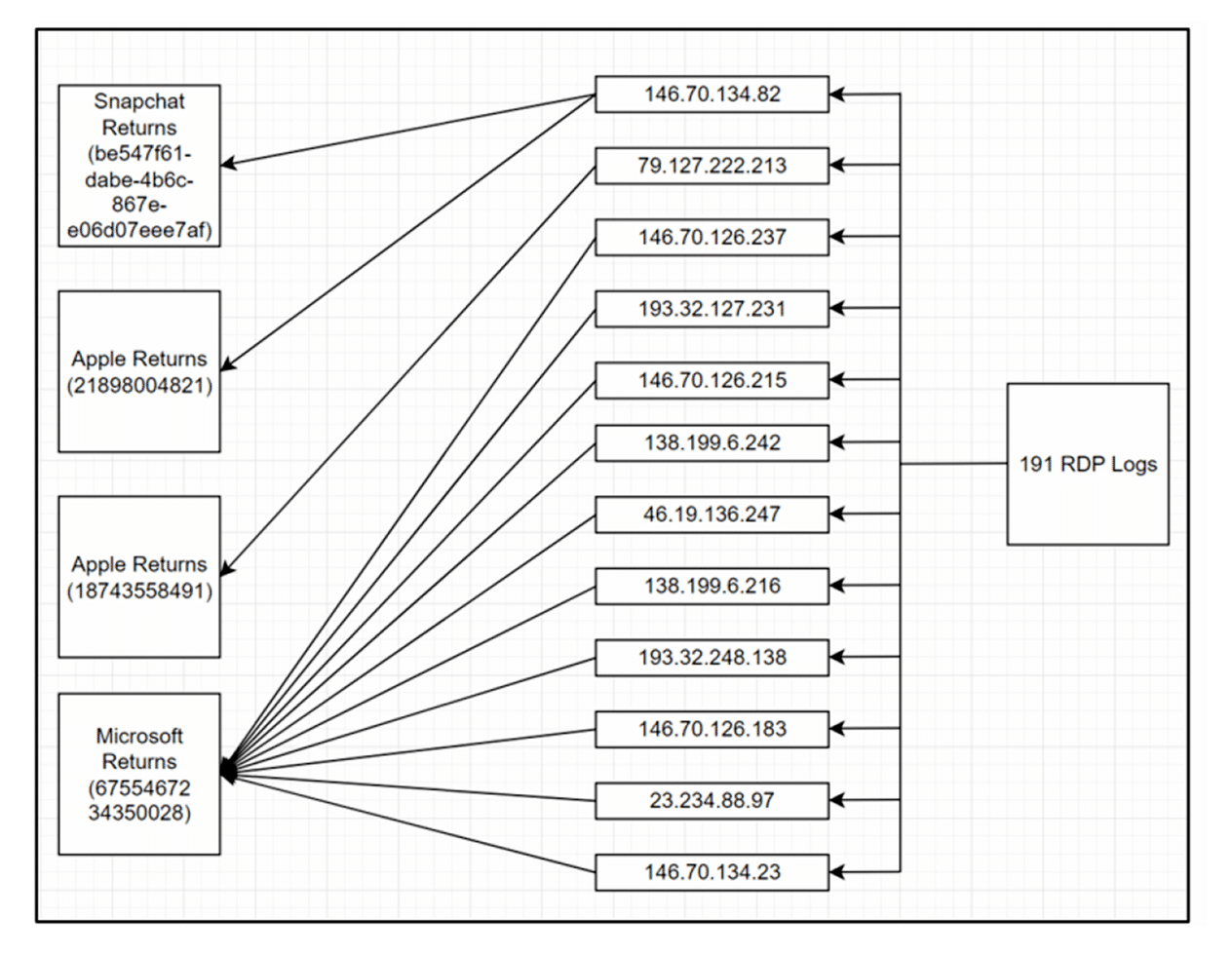
The identifier attracted wider attention after Microsoft records helped the FBI connect the same Windows installation to online activity associated with a 19-year-old alleged member of the Scattered Spider hacking group.
The case showed that GDID could remain useful even when a user changed locations or connected through different IP addresses and VPN servers.
Microsoft’s records linked one identifier to activity across several countries and online services. Investigators then compared the device records with other accounts and travel information to identify the alleged user.
Persistent identifiers have legitimate uses, including software licensing, fraud prevention, security, and device management.
However, GDID raises privacy concerns because ordinary Windows users receive no clear consent screen explaining that the identifier exists. They also cannot view, reset, or disable it through the Settings app.
Microsoft’s own documentation does not provide a detailed consumer explanation of the identifier. Its existence and tracking capabilities only received wider attention after appearing in the federal complaint.
The issue is not simply that Microsoft can identify a Windows installation. Most major technology platforms use device identifiers in some form.
The larger concern is that Windows users have almost no visibility or control over GDID despite the identifier being capable of connecting years of activity to the same installation.
Users can reduce optional data collection through Windows 11’s privacy settings, but there is currently no straightforward way to completely turn off Microsoft’s persistent device identifier while keeping all major Windows services working.
Source: Windows Latest
Get the latest tech news, telecom insights, and product launches wherever you prefer.
Add ProPakistani to Preferred Sources and see more of our stories in Google Search and Top Stories.