Microsoft is expected to begin rolling out the June 2026 security update for Windows 11 on June 9, bringing new features, system improvements, and security fixes for versions 25H2 and 24H2. The changes build on KB5089573, the May 26 preview update for Windows 11 builds 26200.8524 and 26100.8524.
The update includes performance improvements, Shared Audio, expanded Task Manager metrics for NPU usage, multi-app camera support, Windows Setup changes, Windows Hello improvements, USB fixes, personalization updates, and storage changes.
Microsoft is using a gradual rollout, so some features may take time to appear on all eligible devices. Until then, here are the six main upgrades coming this month.
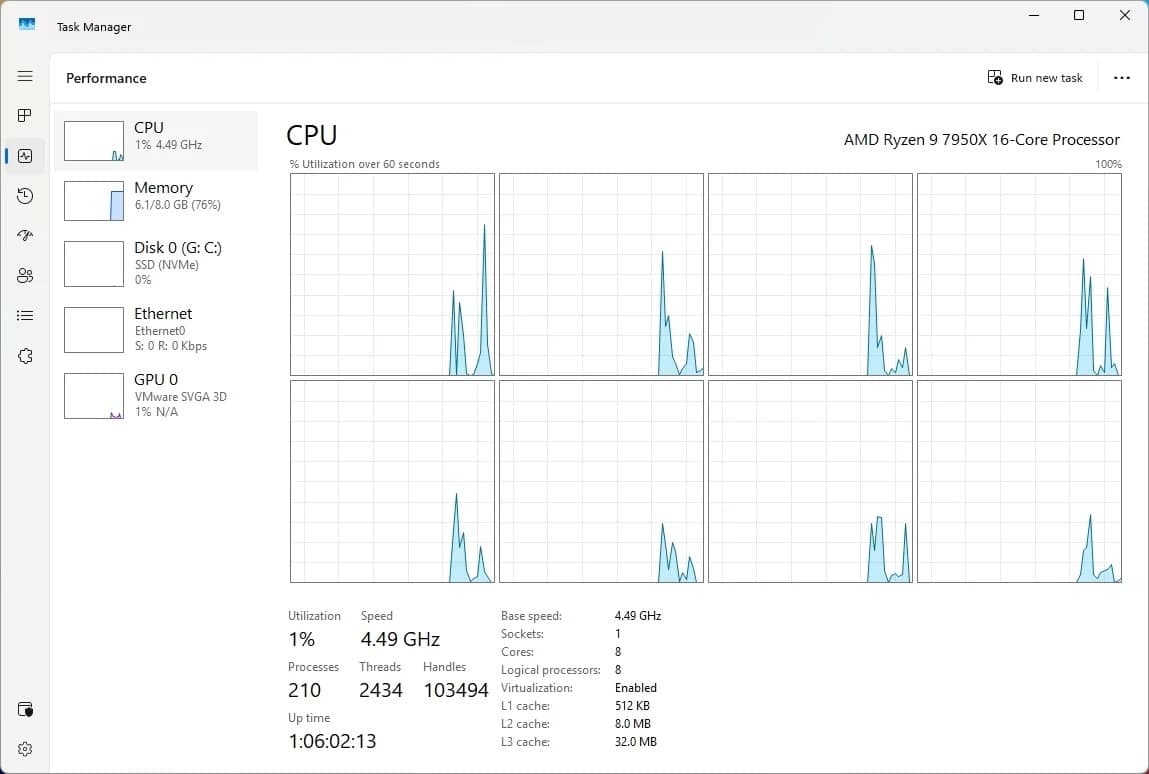
Low Latency Profile
One of the main additions is Low Latency Profile, a background feature designed to make Windows 11 feel more responsive during short interactive tasks.
The feature temporarily raises the processor frequency for one to three seconds during actions such as opening apps, launching the Start menu, opening File Explorer, or using context menus. It is designed for short bursts of responsiveness rather than sustained performance.
The feature can improve app launch times by up to 40% and interaction times with system features by up to 70%, though the impact will depend on hardware. Lower-end or older PCs may show larger improvements, while high-end systems may see smaller gains because they already respond quickly.
Low Latency Profile works automatically in the background. There is no user-facing option in Settings or Control Panel to enable or disable it.
Shared Audio
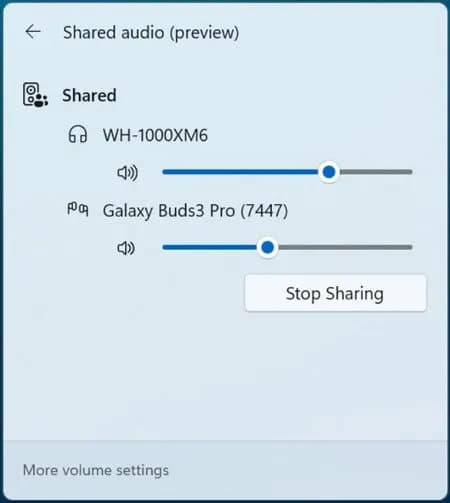
Windows 11 is also getting Shared Audio, which allows two people to listen to the same audio from one Windows 11 PC at the same time. The feature uses Bluetooth LE Audio broadcast technology and works with supported paired Bluetooth devices.
Users can start a Shared Audio session from Quick Settings by choosing the Shared Audio option, selecting two supported connected devices, and starting playback. The feature is meant for situations such as watching a movie while traveling or listening to music together.
Task Manager Gets NPU Metrics
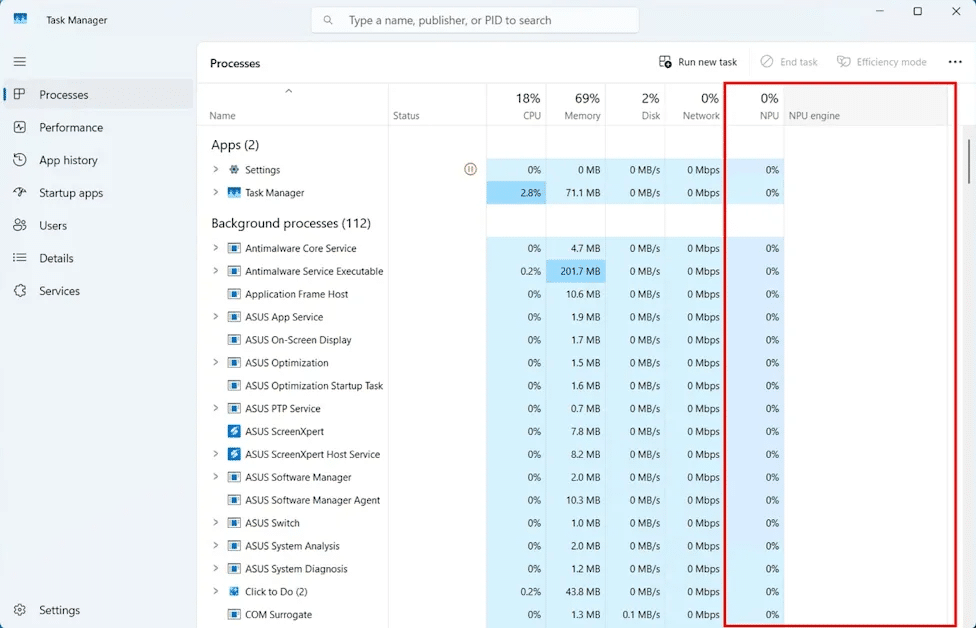
Task Manager now gives users more visibility into AI hardware usage on PCs with a Neural Processing Unit. New optional columns show NPU usage, NPU engine activity, NPU dedicated memory, and NPU shared memory across the Processes, Users, and Details pages.
The Performance page also shows neural engines that are part of a GPU, giving users a broader view of AI-related activity on newer systems. Microsoft has also added an optional Isolation column to show which apps are running inside an AppContainer sandbox.
Multi-App Camera Support
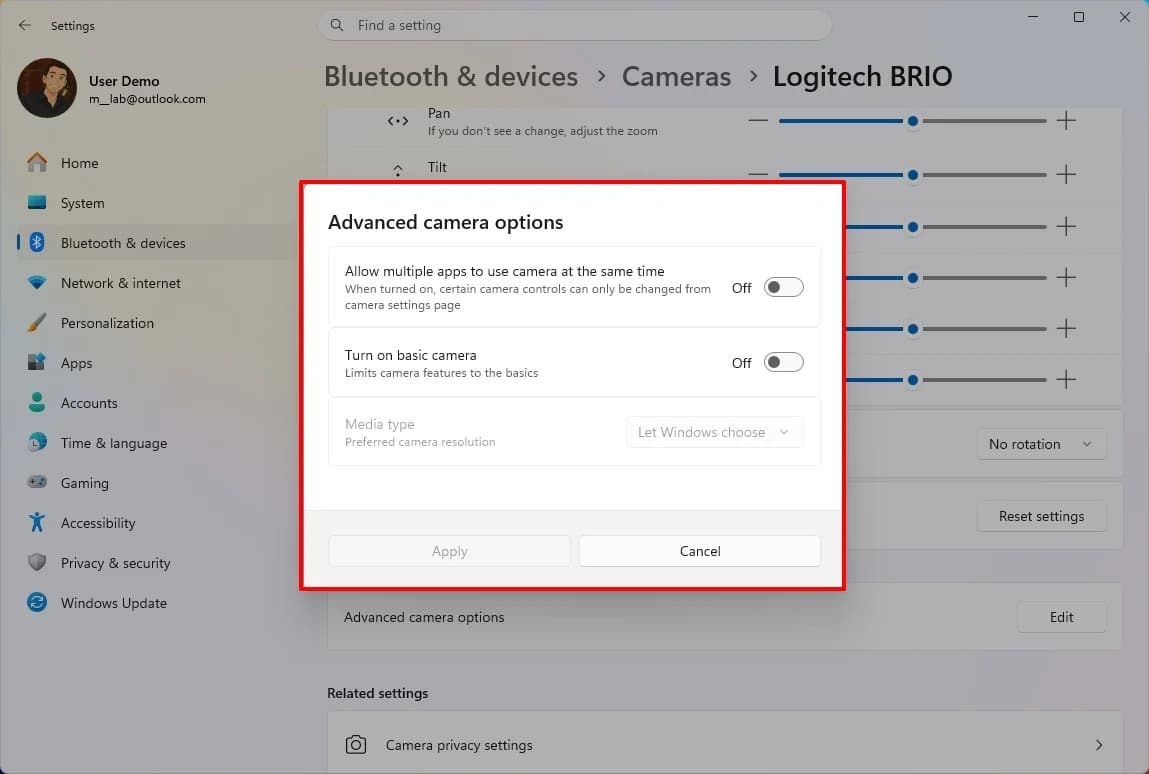
The Camera settings page is getting new advanced controls. Multi-App Camera allows more than one application to access the same camera stream at the same time, which can help users who need a webcam across meetings, streaming tools, or recording apps.
Microsoft is also adding Basic Camera mode, which runs the webcam with simplified functionality for troubleshooting or improving stability when camera features or drivers cause problems. Enterprise administrators can manage these camera options through Group Policy.
Custom Folder Name During Setup
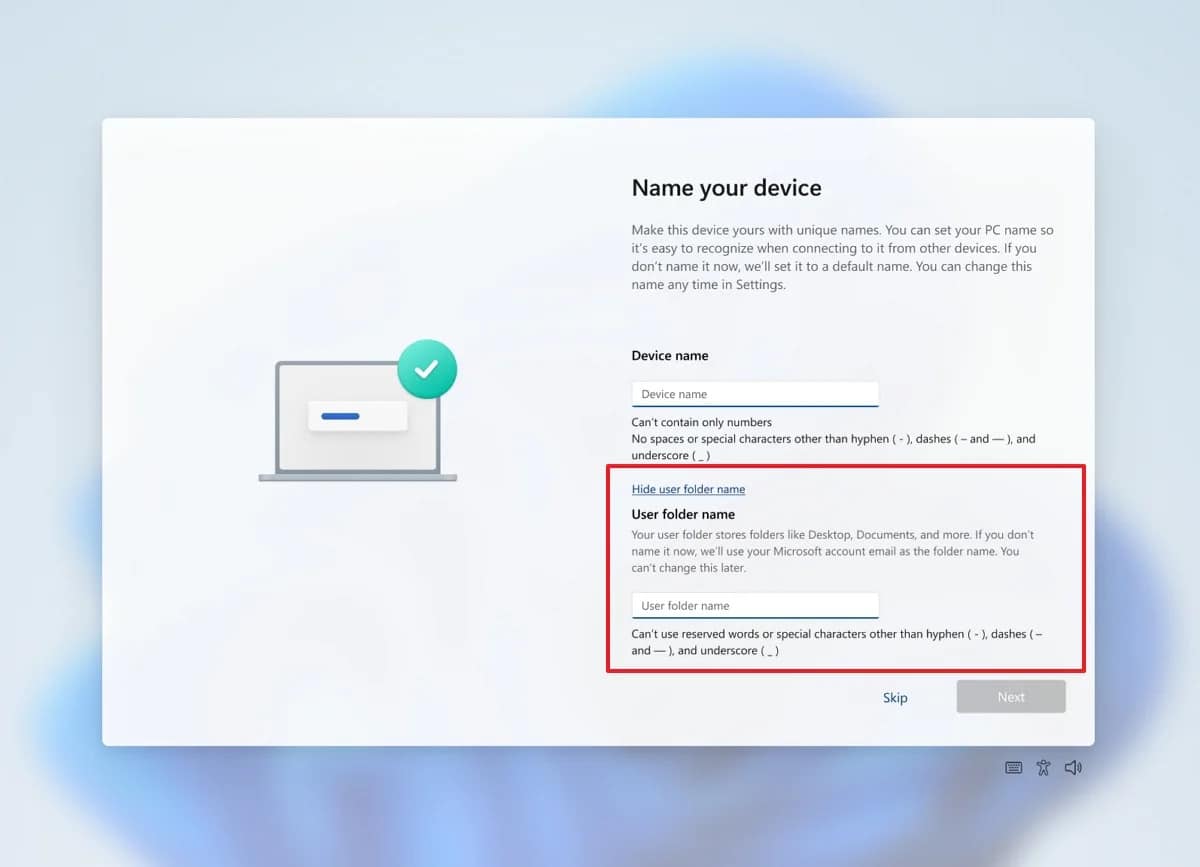
Windows 11 setup now lets users choose a custom name for the user profile folder during the Out-of-Box Experience. The option appears on the Device Name page and helps users avoid automatically generated folder names based on their Microsoft account.
If the step is skipped, Windows 11 continues using its default folder naming process. Custom names must still follow standard Windows naming requirements.
Windows Hello and Other Changes
Microsoft is improving Windows Hello by optimizing the Windows Biometric service to reduce latency when a device resumes from Modern Standby. Face or fingerprint sign-in will remain the default method when available, even if another sign-in option was used previously.
The update also improves Windows Search so it can find and prioritize files with as few as two characters. Storage settings now allow Dev Drive creation and volume resizing in gigabytes instead of only megabytes.
Other fixes include improved reliability for displays connected through USB4 docks and hubs, better USB3 stack recovery, improved sensor and HID power behavior, smoother clipboard history navigation, better touch keyboard reliability on the sign-in screen, and more reliable desktop app shortcut loading.
Rollout
The features are part of a gradual rollout, which means availability will vary by device. Users on Windows 11 versions 25H2 and 24H2 should receive the improvements as Microsoft expands the June update rollout.
Source: Windows Central
Stay Connected with ProPakistani
Get the latest tech news, telecom insights, and product launches wherever you prefer.
Add ProPakistani to Preferred Sources and see more of our stories in Google Search and Top Stories.