

 Desk
Desk
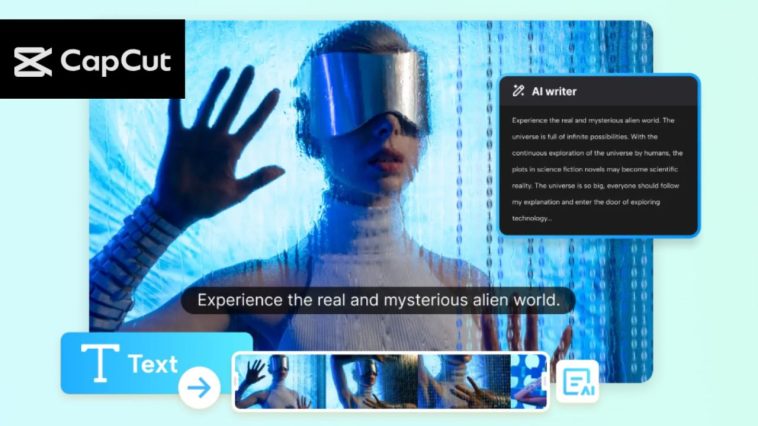
Students, teachers or professionals can spend a lot of time and energy in preparing a video script of a debate or presentation. You need to strategize the points, organize the content and ensure it flows so that the audience is not bored. All this may be tedious when done manually.
This could be a lot easier with the help of AI. They assist you in structuring your ideas, hinting the key points, and even writing the complete script within a short period of time. It saves time and makes your contents more concise and organized.
CapCut PC AI Writer is one of the tools that can do it. It lets you create a script that is already ready and you can adapt it to your style, tone and audience. Although CapCut Desktop Video Editor includes numerous free features, there are more sophisticated AI and require a subscription fee.
Why is AI Writer the best to use in Debate/Presentation Scripts?
Handwriting a script of a debate or presentation can be very time-consuming. You should have an outline of your points, have them arranged in sequence and make the content readable. All of this is assisted by CapCut PC AI Writer. It takes your thoughts and formats these thoughts into a coherent introduction, main points and conclusion.
Using this tool saves time. You can create a script that is already ready to use with a couple of clicks and not write with your fingers and correct them after. You can also customize the script to your style. To put it in an example, you can use the tone that is formal or persuasive or a light and friendly one. You are also in control to decide on the length and what you want to dwell on as regards your audience.
The other benefit is that your script is made more interesting. CapCut PC AI Writer is capable of proposing important phrases or examples or figures that enhance your content. It also makes it easier to remove errors which could occur when writing manually.
To plan it better, you may relate your script to AI Storyboard. This tool has a visual display of your debate or presentation and, therefore, it is easier to create slides or key scenes. Although CapCut Desktop Video Editor is essentially a free tool, there are certain high-end AI Writer functions that require a subscription.
How to use CapCut PC AI Writer in Debate/Presentation Scripts.
Step 1: Install CapCut Desktop Video Editor.
Install CapCut PC at its official site. Install the installer and run the on-screen instructions to install it on either Windows or macOS.
Ensure that your computer is refined to the minimum system requirements to ensure that your AI functions are smooth. Note: CapCut Desktop Video Editor includes free tools, but there are other enhanced AI-based features (paid subscription is required).

Step 2: Open AI Writer and Brainstorm Topics.
Click AI Video maker on the main dashboard of Open CapCut Desktop Video Editor. Then choose Brainstorm with AI. Add your debate or presentation topic to the input box. The AI will provide a list of similar topics and subtopics.

Click Pick and select the idea that fits your needs by looking through the list. You may also click Explore to get more choices. When you are done with your topic, the AI will turn it into the main points in your script.
These arguments constitute the very skeleton of your argument or speech and it becomes easy to write the entire script in a short time and in a clear manner.

Step 3: Prepare a Complete Debate/Presentation Script.
Once you have chosen your topic, choose Generate Script. A draft script will be displayed in a new window. In the More Requirements box, you can make it that way by adjusting the length, the tone, and the style. You can, say, make a choice between formal style, persuasive style, and concise style.
Click Generate to generate the script. Review it carefully. Click Use to accept the draft, Create again to create another version or Cancel to quit. Certain advanced features in the CapCut PC AI Writer could be paid.
To get a more efficient planning you may synchronize your script with AI Storyboard which will assist you in visualizing structure, creating slides and mapping flow of your presentation video.

Step 4: Optimize and Share Script.
Read through your script and make sure it is clear, flowing and accurate. Make amendments directly in the text editor of CapCut PC where necessary. It is also possible to use the script along with AI Storyboard to plan the visual slides, changes in the scenes, or important points to be used in the presentation video.
Export the script when you are contented with it. This latest version can be recording or presenting. This saves time and energy and provides you with control over the content because, otherwise, using CapCut PC AI Writer is time-consuming. You have a pre-made script which is professional and specific to your topic.

Conclusion
CapCut PC AI Writer provides an opportunity to prepare the script of a debate or presentation much faster. It can structure your ideas in a proper way keeping your thoughts in order, your content flows better and your points are easily understood by your audience. It can also be tailored, and thus, your script will be in the style and tone that you desire.
Although the CapCut Desktop Video Editor consists of numerous free tools, there are certain sophisticated AI functionalities that require a subscription fee. Using AI Storyboard in conjunction with your script could assist in visualization, slide and highlight planning of your presentation video.
Get CapCut Desktop Video Editor on the official website and use AI Writer the next time you need to prepare a speech or presentation. Watch it simplify scriptwriting, make it quick, and efficient, and concentrate on your presentation.







