

 Desk
Desk

Have you ever been scrolling through your Instagram feed and found a cool photo or video that you just had to save? Snapgram can help you do that in seconds. As a powerful Instagram video downloader, it doesn’t just master video clips—grabbing images is just as effortless. In fact, this article will show you exactly how to easily download IG photos from your own account.
Why Downloading Instagram Photos is Complicated Without the Right Tool
Most people still rely on three old methods to download Instagram photos, and each has its own flaws. Screenshots are clearly the fastest, but the quality immediately drops because the image size follows the phone screen’s resolution.
The second option is to install a third-party application from the Play Store or App Store. This is even heavier: it requests gallery access permission, sometimes asks you to log in using an Instagram account, and quite a few end up being crammed with ads. If you are looking for a reliable Instagram photo downloader, these app-based methods can pose significant risks.
The third option is to ask for it to be sent directly to you via DM. It feels the most polite, but it is the slowest.
What is often overlooked is the security risk of unofficial applications. Once you log in using your real account, there is a possibility that your account will be flagged by Instagram due to suspicious activity. Stories about accounts suddenly being suspended after using weird apps are nothing new in the creator community. Not to mention personal data being stored who-knows-where and used for who-knows-what. Just to save one photo, it doesn’t seem worth the risk.
And this is exactly where the logic of tools like Snapgram makes total sense. Operating as both an Instagram post downloader for saving feed videos or photos and an Instagram story viewer for checking out content before it expires in 24 hours, it requires zero installation, zero account creation, and zero privacy permissions. You come, take care of your business, and leave—leaving absolutely no traces behind on your device or your Instagram account.
How to Use Snapgram in Three Easy Steps
The workflow is simple and does not require any technical skills. Open the Instagram post you want to save, tap the share icon, then select the copy link. You can also use a username if what you want is a profile picture. So far nothing strange, everything is still done in the existing Instagram application on your phone.
The next step: open Snapgram in your browser, paste the link into the search column, and press the download button.
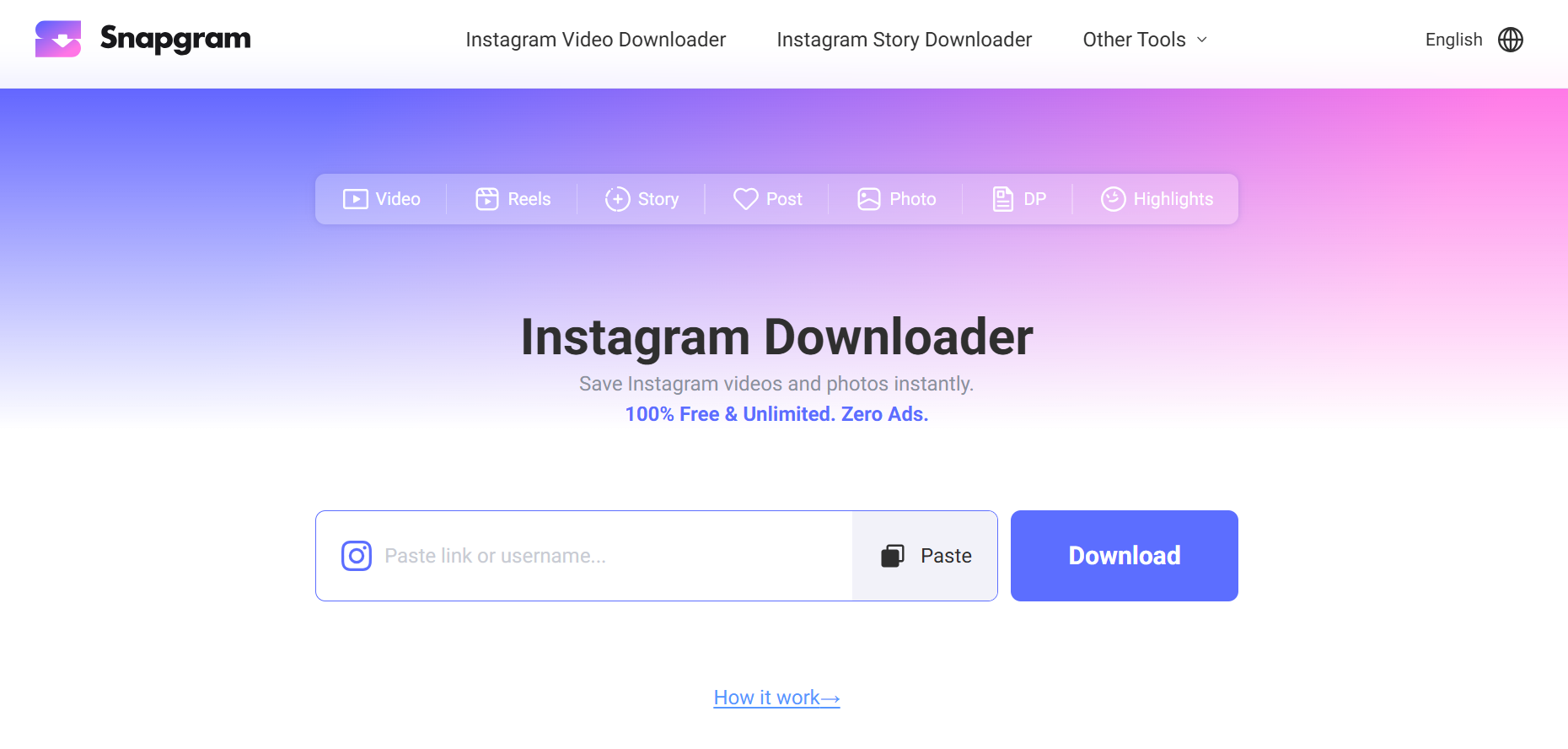
In seconds, Snapgram displays the result complete with saving options. Click, and you are done.
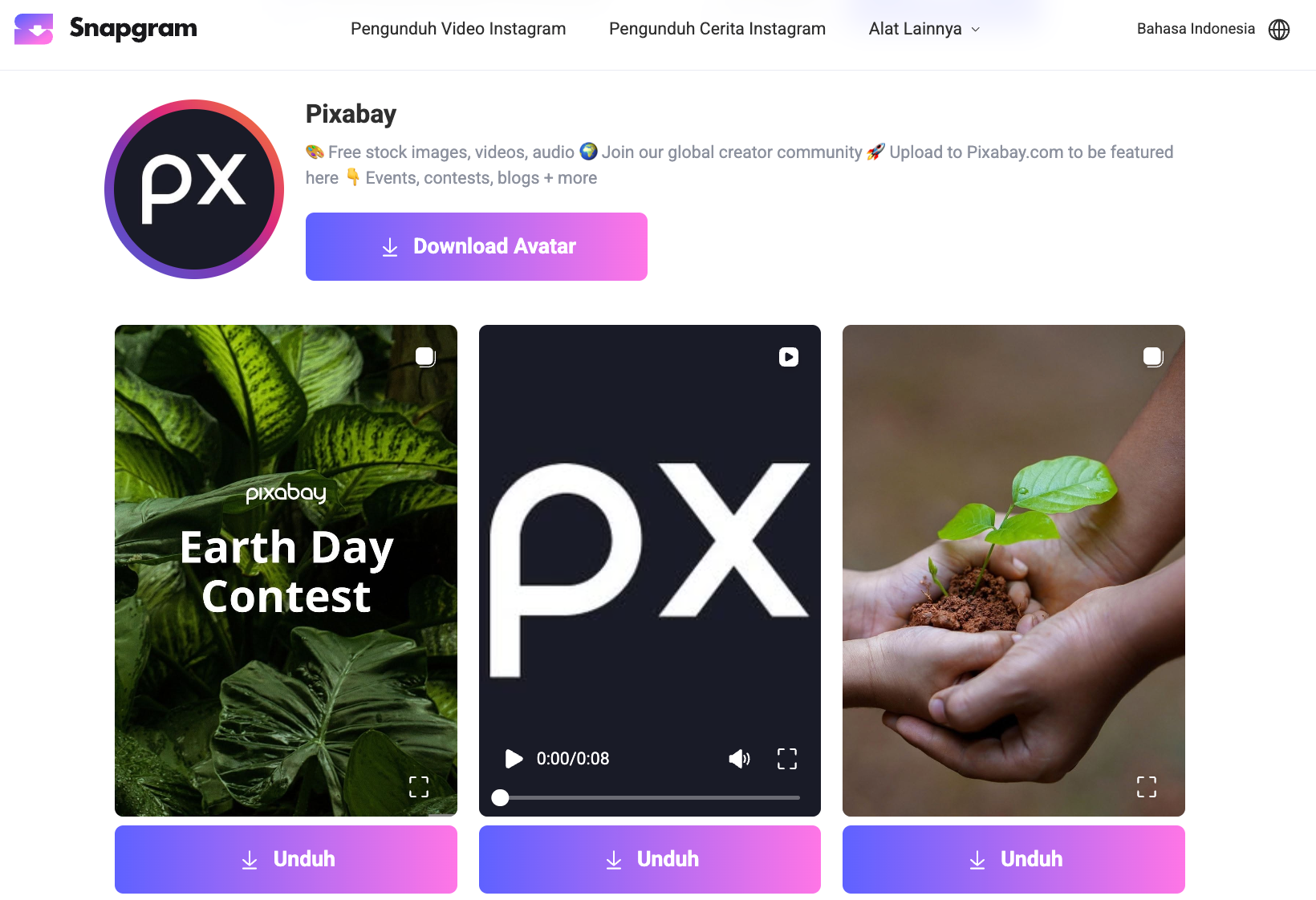
Whether you need an Instagram downloader for single images or a versatile Instagram video downloader for longer content, the steps remain exactly the same.
The photo goes straight to your device’s download folder without asking you to register an account or perform any verification. For iOS users, the results are usually saved in the Files folder. For Android users, it goes straight to the gallery.
What makes this process feel different is that there are no forced intermediate steps. There are no sudden pop-up ads closing the screen. There are no fake buttons to confuse you about which one is actually for downloading. Just an input column, a download button, and the result.
For those who frequently go back and forth using this tool, there is a small trick: add Snapgram to your phone’s home screen like an application. That shortcut makes access just one tap away, as fast as opening a regular app, without actually becoming an app that consumes memory.
Features That Make Snapgram Stand Out From Other Tools
Original quality is the most noticeable differentiator. Photos downloaded via Snapgram come in the exact same resolution as uploaded by the creator. There is no silent compression, and no watermarks suddenly attached to the corner of the image.
For those who use the downloaded results for design needs, portfolio archives, or mood boards, this detail is crucial. Blurry or watermarked images just become digital trash.
The scope of features is also complete. A single tool can be used for Reels, Stories, multi-photo carousels, profile pictures, up to Highlights. You don’t need to go back and forth opening multiple sites just because the content format is different. If you need an all-in-one Instagram video downloader or a comprehensive Instagram post downloader, this tool covers all bases.
A favorite Story that will automatically disappear in 24 hours can be saved before it evaporates. Old Highlights that might be deleted by the creator at some point also remain safe in storage.
Another feature worth noting: anonymous mode to watch other people’s Stories without leaving a trace in the viewer list. For those who have professional or personal reasons for not wanting to be detected, this feature makes sense. And everything remains free. It is not a free trial that will later ask for an upgrade, but completely free of charge and with no daily usage limits.
One last thing that is often underestimated: device compatibility. Snapgram runs on any browser, whether on an Android phone, iPhone, tablet, Windows laptop, or Mac. There is no need to think about system specifications or application storage space. Open the browser, enter the site, and you’re good to go. Even for users with low-end devices, this tool can still run without hindrance.
Who is Snapgram Most Suitable For
Content creators are the first group clearly benefited. Gathering visual references for client briefs, mood boards, or your own content inspiration requires many photos from various creators. Instead of opening a long tutorial every time you want to save an image, the flow is cut down to just three clicks. Out of one hour of work, you can save dozens of minutes usually wasted just on the file-saving process.
Social media admins also fall into this category. They often need to save competitor content for analysis or campaign archives. There are times when a creator’s post is archived or deleted before there is a chance to screenshot it. At that point, a fast and seamless tool gets the job done before the content vanishes forever.
Don’t forget regular users. Parents who want to save family photos from their child’s account. College students compiling presentation assignments who need specific images. Or just someone who finds a cool travel photo and wants to make it their phone wallpaper. The category is broad, and there are no technical requirements keeping anyone from entering.
Small online merchants are also helped. See a competitor posting a similar product, save it as a reference for pricing and photo angles, then create a better version for your own account. Visual research like this used to take a long time. Now it is done in just a few minutes, especially when utilizing it as an efficient Instagram downloader to collect high-quality catalog ideas.
Conclusion
There are actually many choices for saving photos from Instagram, but the majority come with compromises. Some have poor quality, some ask for account access, and some are so full of ads that they disrupt the download process. Snapgram stands at a simpler point: a browser, three steps, clean results, at zero cost. It functions perfectly as an Instagram video downloader for clips and an Instagram post downloader for standard media.
For the need to save Instagram photos, which should indeed be simple, an approach like this makes the most sense and sacrifices the least. If you are among those who have been going back and forth trying various applications and haven’t found the right fit, Snapgram is worth trying once. Just once is enough to know whether it suits you or not. There is no account to be created, no data requested, and no consequences if you eventually change your choice. A tool that actually serves users should be exactly like that: present when needed, gone when finished.







